Getting Started with FViewer
Welcome to FViewer!
FViewer is a modern, fast, and interactive viewer for astronomical
FITS files and catalogs. If you have ever used traditional desktop
tools like ds9, js9 or fv, FViewer may feel familiar,
but with a major upgrade: it runs directly in your web browser
and connects seamlessly to your Python code.
FViewer started primarily as a replacement for the HEASARC's fv tool,
but quickly evolved to more features.
Whether you are a student inspecting your very first telescope image, or a researcher exploring massive data cubes and cross-matching remote catalogs, FViewer is designed to stay out of your way and let you focus on the data.
Key Features
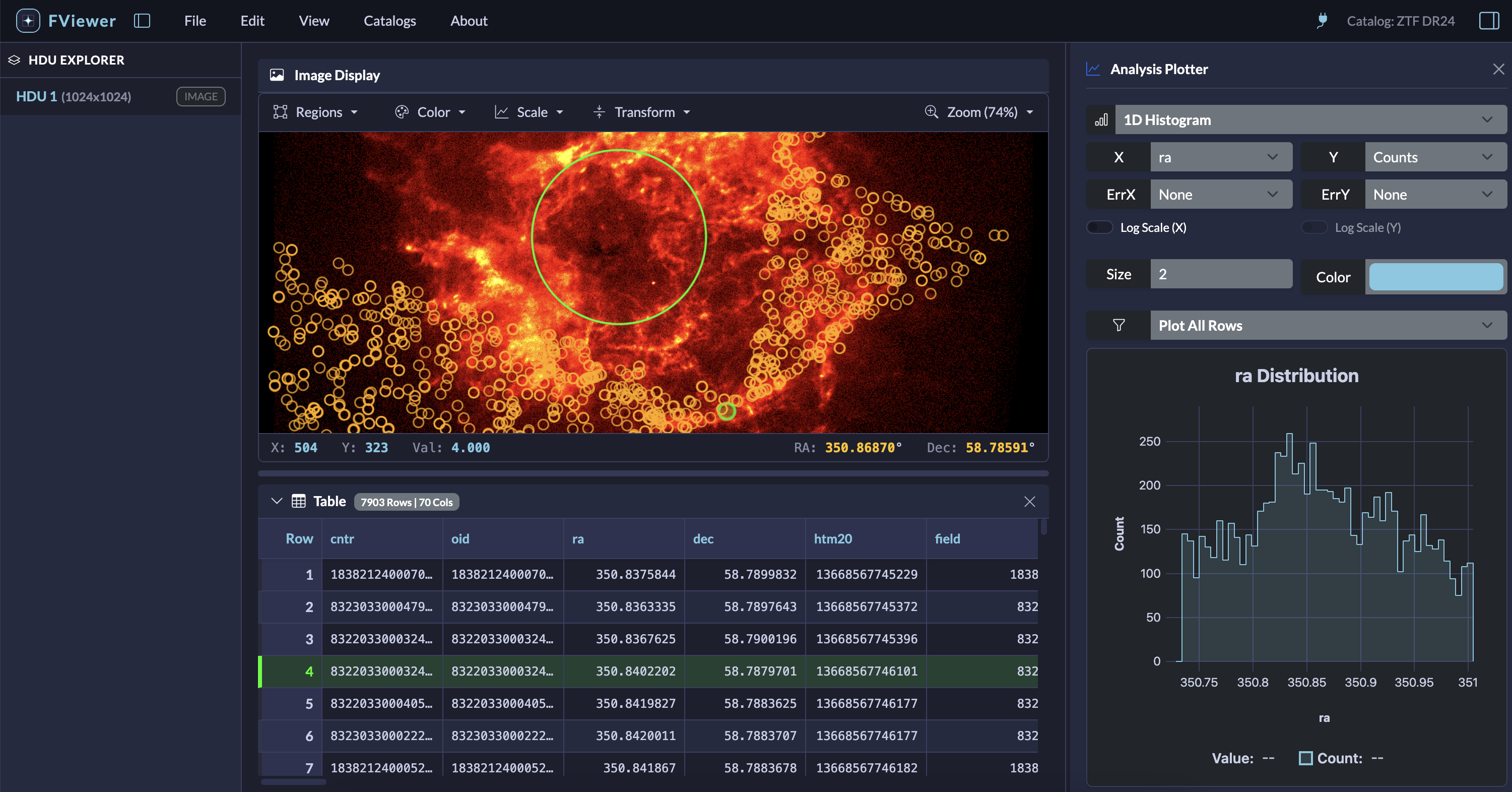
- Image Viewing: Instantly load FITS images. Pan, zoom, and adjust colormaps and image stretches smoothly.
- Data Tables: Scroll through large catalogs and binary tables.
- Interactive Plotting: Generate 2D scatter plots and 1D histograms directly from your data tables.
- Region Drawing: Draw, edit, save, and load standard DS9-style regions (circles, boxes, polygons, etc.).
- Catalog Overlays: Search remote archives (like HEASARC) using ADQL, load VOTables, and overlay the sources directly onto the active image.
- Python & Jupyter Ready: Control the viewer, load files, and extract data back into your Jupyter Notebook using a clean, simple Python API.
Installation
You can install FViewer on your computer using Python's package manager, pip.
Currently supported for all python version higher than 3.10.
Open your terminal and run:
Running FViewer
FViewer can be used in two different ways depending on your needs:
1. The Full Experience
To get the most out of FViewer—including the ability to query catalogs, use with python, you should install it and start it via the terminal.
Simply type:
Pass the -h or --help option to see other command line options. You pass a file name to open and control the host, port or browser behavior.
This command starts a lightweight, secure local server and will automatically open FViewer in your default web browser
(usually at http://localhost:8000). From there, you can use the File menu to browse your computer and open FITS files.
2. Browser-Only Mode (No Installation Required)
If you just need to quickly inspect files and don't want to install anything, FViewer can run entirely inside your web browser without a backend server.
(Note: In this mode, some advanced features like python integration and remote catalog queries, but the core viewing and plotting tools work perfectly.)
To use the standalone version:
- Navigate to the Demo page.
- Load your
.fitsfile directly into the browser window.
Because all the heavy lifting (like image processing and coordinate math) is done securely inside your browser using WebAssembly, your data never leaves your computer.